Showing posts with label programming. Show all posts

Monday, June 5, 2017

Planet 4 - Part 02 - Let's make some noise!

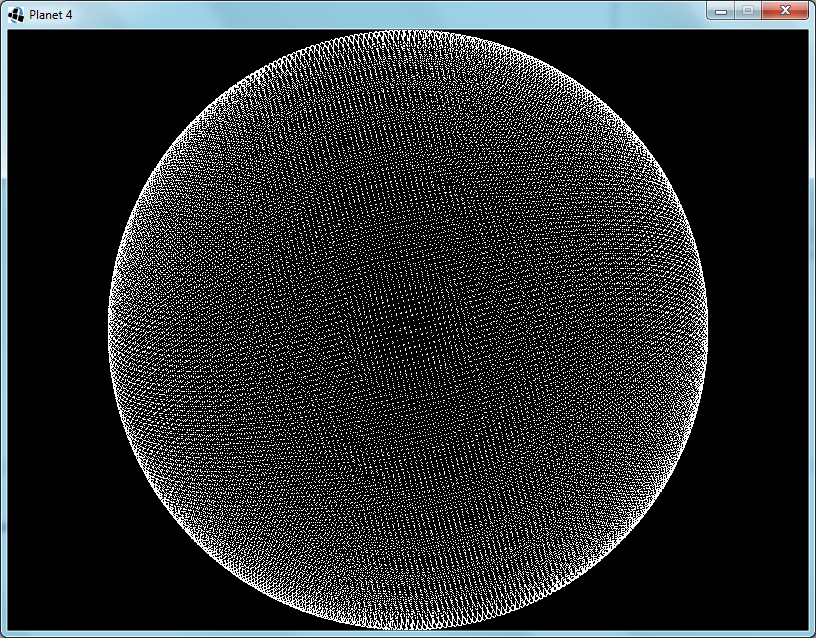
A decorative image of a map created using splat noise.

Introduction

To create earth-like planets, it is useful to start off with some continents.

When creating continents in simulation-oriented PCG, one customarily starts with a noise field and then apply simulated physical forces to make it more realistic.  In this article I will explain the workings and merits of a kind of noise function that I call "splat noise".

A Bit of History

A long, long time ago there were space games where planets were generated using a technique known as the fault-line technique.  Paul Bourke describes it here (scroll down to "Modelling fake planets"), but I will give a short summary in case that link goes dead some day.

The process is really simple: take a sphere, increase the altitude on a randomly chosen half and repeat as necessary.  The edges between the pairs of halves were referred to as fault-lines, hence the name of the technique.

Paul points out that this way always ends up with a perfectly anti-symmetric planet, and then he solves this by freeing the cutting plane from having to pass through the center of the sphere; each one now passes through a random point.  This unfortunately increases the number of iterations required to achieve the same level of detail.

He also demonstrates using it on a plane, and this is where I started when I invented splat noise.  My first problem with the planar fault-lines noise was that it did not wrap around at the edges.  Using a straight line that wraps around would be the obvious solution, but didn't work for various reasons that became apparent very quickly.  And the obvious solutions to these cause even further problems of similar difficulty.

The Invention of Splat Noise

So I decided to opt for a non-obvious solution instead.  I used circles instead of lines and it worked just as well.  Better even.  The fact that the effect of a circle is localized also opens up many new possibilities for further improvements.  One can vary the sizes of the circles, cluster them together, distribute them more evenly, optimize the processing, give the circles other profiles, use finite shapes other than circles...  The possibilities are endless and I often found the side-effects useful as well.

One of the things that I found surprising (at first) was that the horizontal profile of the splats affected the shapes visible vertically in the generated noise.  For instance, compare figures 1 and 2:

Figure 1: A map generated with cylindrical splats.  Note the rough edges.Figure 2: A map generated with steep truncated cone splats.  Note the slightly smoother features.
Fig 1: Simple CylindersFig 2: Steep Truncated Cones
These figures show that even a slight smoothing of the circle (or cylinder) gives a much smoother output.  I expect that convoluting the splat kernel is equivalent to convoluting the output.  Since the cylindrical kernel is mathematically simple, one can convolve it more precisely and much quicker than one can convolve the output noise.

A more surprising effect was that of varying the kernel size.  As seen in figure 3, below:

Figure 3: A map generated with randomly sized cylinders.  Despite the random arrangement of splats, this map now has both islands and continents.
Fig 3: Randomly Sized Cylinders
One would expect that the uniform randomness of the distribution would nullify the effect of randomly varying the kernel size.  However, I have found that it does increase the variety of the sizes of the features generated.  In figure 3 one can see that it now forms both continents and islands.
 
In regard to figure 4: I used axis-aligned squares as the kernel.  Despite the individual squares being small, they combine into long straight lines crisscrossing the output.  Also, none of the original squares are discernible.

Figure 4: A map generated with axially-aligned block splats.  It has strong horizontal and vertical stripes, yet each stripe has a smooth profile.
Fig 4: Axially-Aligned Blocks

Further Observations

Other useful techniques that I have discovered include:
  • Control the placement of continents by overlaying this noise over an existing map.
  • The "existing map" mentioned above could be as simple as just random squiggles with a brush.
  • Combine two splat noise outputs to create a distortion vector map to add detail to a smooth output field from some other algorithm without affecting the range of values.
  • To calculate a section of an infinite world using only a finite number of kernels, divide the world into a grid, each with its own seed and providing only nearby kernel positions.

Conclusion

The Planet 4 project will certainly be using a spherical variant of splat noise to create its initial conditions, taking this algorithm full circle; back to its roots, but improved by the journey.

Friday, November 29, 2013

Planet 4 - Part 01 - Making a Mesh

Introduction to this series is here.

Phase 1 is initiated.  I will adhere to a keep-it-simple approach during development.  So setting up the window went very quickly; no config files, no nothing.

The first step was to create the nodes in a spherical arrangement.  I divided the space into unit cubes and looped through them.  Where the innermost and outermost vertices of the cube was on opposite sides of the surface, I placed a node.

Each node represents a surface of about 128m×128m.  Since they're neither square nor uniform the area differs from node to node.  I experimented with different sized planets a bit and decided that radius 60 makes a medium-sized planet.  The circumference is about 48km, which is definitely much further than I have ever traveled in Minecraft.  What's the point of an infinite world, then?

Fig. 1: Radius 60 Sphere - Each node represents a 128m×128m area
Next I move the nodes so that they are no longer on the sphere, but rather arranged in a grid.  This will make noticing and understanding bugs much easier.
Fig. 2: Nodes are now aligned to a grid for debugging visualization
I reduce the size of the planet to radius 5, implement an algorithm for finding their nearest neighbours and link them up.  Ideally, I would have used Delaunay triangulation, but I decided to keep it simple instead; I have never done Delaunay triangulation before.  So I looped through the nodes and checked adjacent grid points for neighbours to link to.  The first time I only checked in the positive directions.  Figure 3 shows the inadequacy of this optimization:
Fig. 3: Added node-to-node links - My first bug is apparent
A simple fix is to just check the negative directions as well.  This does slow it down a bit though.  There is a faster way, but it is complicated, so I stuck to the simple way.
Fig. 4: Fixed the links bug
While my current algorithm does find every node that will contain a part of the sphere's surface, this causes some foreseeable problems, in that the double layer in some regions will stop the erosion algorithm from working correctly.  I take a cross section to see what it looks like (Fig.5) and see two possible solutions.  I could get rid of all diagonal links, or I could remove the extra layer before linking up the nodes.
Fig. 5: Cross section shows double layering
I decided to implement the node removal method, since this will simplify the eventual creation of the zones.  Each node that has three axis-aligned neighbours that are closer to the center is removed.  The cross section looks okay, so I switch back to the full sphere view:
Fig. 6: Removing the extra layer is not working as intended
That's no sphere!  I tried a few different techniques, with no positive results.  Eventually I realize the problem:  When I remove a node I change the circumstances of the surrounding nodes.  Near the axis-aligned planes that pass through the sphere's origin this causes that some nodes will no longer be removed.  The solution is to keep a set of nodes that need to be removed, and only remove them after all have been found.
Fig. 7: It works now
And finally I put the nodes back into their original spherical arrangement.
Fig. 8: Off the grid and back to a sphere

Wednesday, August 28, 2013

2-D Tiles Renderer - Introduction

I got caught up in the Starbound hype, so I've decided to make a series on creating a 2-D tile-based renderer with procedural textures, normal mapping, pre-multiplied alpha, dynamic light and occlusion.  I guess you could think of it as a fan project.


Being a project of at least moderate size, it's a good idea to plan ahead, and to divide it into a set of smaller projects.  After some deliberation, I came up with the following parts, for a start:

  • Render to multiple layers, combine them, and post-process for gamma-correction and dithering.
  • Texture loader that can call generation procedures when a texture does not exist yet. (Maybe)
  • Texture generation procedures.  They output all seam types and orientations with multiple variants.
  • Tile renderer that uses instancing and hardware buffers.  It probably divides the map into patches.
  • Fast/parallel occlusion checking function.  Output format must match input format, for recursion.  Final output needs to be filterable. (e.g. feathering)
  • Background diorama renderer with parallax and altitude effects.
  • Planetary parameters object that can output the necessary rendering parameters; e.g. lighting and atmospherics.
  • Many more pieces that I'll think of later.
I probably won't finish the whole thing, but, if I end up with something useful, I'll release the source code.

I also intend to make this series of posts informative, but I have failed at that in the past.  I'll try harder this time.

Monday, November 26, 2012

Axonometric Graphics and Status Effects Redesign

After a lot of thought, I have decided that using actors is a better approach to persistent status effects than sticking modifiers onto an actor's statistics and removing them with events in an event queue.

This way one can have complicated effects that change with time, effects that only occur at certain places or under certain circumstances, effects can be the targets of spells and abilities, and it is much easier to add visuals to applied effects.  I feel certain I will find many more uses for this.

I have also grudgingly accepted that my game-play ideas require that the game is three-dimensional, so this weekend I added a third dimension to the map and to the base class for physical actors.  I have decided that "proper" 3-D graphics is still not an option, so I am implementing an axonometric graphics renderer.

Isometric graphics makes use of an isometric projection, which is a special case of an axonometric projection.  In an isometric projection, each three-dimensional axis is assigned a direction on the plane of the two-dimensional projection, the three directions are 120 degrees apart, and the scale of the axes are the same.  This gives a view without perspective, as if the world is seen using only parallel rays, and these rays are all parallel to the vector (1, 1, 1).

In an axonometric projection, the view still has no perspective, but the rays are no longer parallel to (1, 1, 1), but rather to a vector of my choosing.  So the axes' directions are no longer separated by 120 degrees, and are no longer at the same scale.  Calculating the new angles and scales from the rays' direction vector would be a chore, but fortunately one does not need to do that.  As most things in graphics go, getting it to look right is much more practical than making it be right.  Since the axonometric tiles will be drawn by hand and the computer will only assemble them accurate to within a pixel, it is sufficient to draw a cube by hand and use its measurements as the basis for all the rest of the tiles.


Monday, November 19, 2012

Physics Engine - Part One (Introduction)

Inspired by Shamus Young's soft-body physics explanation, and disillusioned by the shortcomings of jODE and jBullet, I recently started working on an OpenCL-based physics engine in Java.  After reading up a lot about how these systems work, I discovered a way to handle the full continuum from soft to hard constraints, which, to my knowledge, not even the top-of-the-range commercial physics libraries do.

To keep the development fast, I decided to first implement it in 2-D in Java, then upgrade it to 3-D and finally port it to OpenCL.  Normally one couldn't just port from a serial language to a parallel language and expect a performance improvement, but I will keep this in mind throughout the design and implementation.

I am handling all objects as sets of connected simplices with a particle at every vertex, and a length constraint on every edge.  To calculate the mass of each particle, I will divide each simplex into Voronoi cells for its vertices, calculate the volumes of these cells, multiply these volumes by the density of the simplex, and finally sum these masses for each vertex.

Unlike most soft-body systems, my simulation will support rigid length constraints between the particles.  The way to do this, I believe, is not to use forces directly, but rather to find the closest local minimum in a potential field.  And with 'closest' I mean that I minimize the sum of the squares of the impulse required to reach that minimum.  The potential functions applied are simple enough that this means that I could use gradient descent or a related method.  In fact, I plan on having each individual constraint simple enough to solve in one step.  In the end, this is identical to using the forces directly, except that the forces' strengths are exactly as required, rather than arbitrary, and therefore causes/allows no oscillations or exponentials.

Of course, it would not be a soft-body system without soft constraints.  I will handle soft constraints the same as the rigid constraints, except with a hard limit on the strength.  This is again very similar to the force-based method, except that it doesn't apply more force than is needed.  (However, I do expect some trouble with keeping track of the total applied impulse over multiple iterations.)

To handle collisions, sliding, rolling and friction, I could use conditional constraints if I can think up the right data structure to optimize the calculations.  It will probably resemble some of the common collision detection algorithms, except adapted to run in parallel.  I will post more about this when I have the details sorted out.

Monday, November 5, 2012

A Framework for Special Abilities

I have been working on the framework that will handle the characters' special abilities in my as-yet-unnamed RPG.  Special abilities include skills and spells, as well as the effects of equipment and consumable items.

The main idea is that an ability is triggered and has certain effects, some of which are instant and some of which are delayed.  For instance, if there was a spell called 'Frog', it would be triggered when the character casts the spell. The effect would be to apply a frog transformation on the target, and to put a 'cancel transformation' event in the event queue, to be applied when the spell would wear off.

Some typical trigger use-cases that I considered were:

  • An active ability registers its trigger object(s) with a player or AI, indicating that it needs to be activated when the controller sees fit.
  • A semi-passive ability registers itself with its character object, giving a trigger object that specifies when it should activate.
  • A passive ability triggers when the ability is gained.

It looks like all abilities can be handled with triggers and effects, but during transformations, possessions and body swaps there will need to be special handling of non-instant and delayed-effect abilities.  Maybe the event queue is not the best way to handle long-term effects.

Back to the drawing board!

Wednesday, October 31, 2012

Useful links and a new perspective

I spent the last year programming lots of stuff, but with very little worth showing:

I got myself up to date with OpenGL 4.
I tried to learn OpenCL.  Will have to try again, though.
I wrote a terrain mesh simplifier, based on ideas from Shamus Young's Terrain Project.
I wrote an emulator for the DCPU-16 from Notch's new game 0x10c.
I designed ROBOL, a new programming language specialized for game AI and robotics.
I worked on a graphics engine based on dual-contouring of voxel data, deferred convex polyhedron volumetric lighting and portals, with gamma-correction, pre-multiplied alpha and dithering.
I wrote a buggy AI for a Tron lightcycles-like game as part of the Entelect R100000 challenge.

The graphics engine would be worth showing, except that I'm trying to implement it in OpenCL, and have thus far failed to really get it started.  Maybe I should try it in pure Java first...  modify the Cyclopean engine...

Meanwhile, I've decided to get away from 3-D graphics for a bit, and get back to simple 2-D sprites.  It's amazing what you can do with 2-D if you're artistic.  And the quality of my recent paintings do imply that I am sufficiently artistic.

Yesterday I had an idea for a project that would be simple enough to produce rapid progress:  A 2-D real-time RPG with a significant amount of modularity.  The modularity is needed so that I can start with a bare-bones game (i.e. rapid visible progress) and then add more ideas with time, until it has enough features.

Overall, I intend to update this blog every Sunday from now on.  I will mostly post about my new RPG: showing off screenshots, explaining design choices, hyping the innovative ideas, etcetera.  When I don't have time to work on the RPG, I will go more in-depth and technical on things that I did in my previous projects.

Hopefully, my new articles will teach others useful new tricks and give them understanding of some interesting algorithms.

Monday, March 21, 2011

Progress and Decisions

The mouse-look is now working entirely correctly.

I have added Newton's first and second laws of motion. I need to handle collision detection before I can add the third law.

To keep things running fast and to make the programming simpler, I will handle free-moving objects as non-rotating 'fuzzy' cylinders. What I mean by 'fuzzy', is that the radius of the cylinder is not constant, but rather depends on the kind of check one is doing. Horizontal checks will use the full radius, but for vertical checks round objects will have a radius of zero. This will allow flat objects to stack, round objects to stand on flat objects, and round objects to form piles. Most objects will be round, but I can definitely see some use for flat objects.

I have not decided how the map itself will be handled yet, because I first have to decide whether I should stick to cubes. I have read up on a technique called 'dual-contouring', which would allow me to use both smooth and angular shapes as I see fit.

Whether or not to use OpenCL is also a big decision to make.

Sunday, March 6, 2011

Look around in wonder


Got the mouse-look working, more-or-less. I can now fly around in Cyclopean.

I had to lock the mouse to the center of the window somehow. I could not find any advice on how to do this in Java, but fortunately it does have the functionality.

I used a MouseListener to catch the mouse movement events as usual, a ComponentListener to discover when the window was moved, and a Robot to move the mouse cursor to the center of the GLCanvas each time the mouse moved. The amount that the mouse moved is just the difference between its position and the center of the GLCanvas.

These mouse movements are accumulated over the gameplay/physics frame and the total used to rotate the player's viewpoint when the gameplay frame is processed. This is necessary since the gameplay and mouse are handled in separate threads. Each keyboard event also has its own thread and the graphics renderer as well. When I implement streamed loading of the world, this will also have its own thread.

I considered making this game multiplayer-capable, but real-time games aren't really suited to this; both latency and lag have always been significant in my experience.

Friday, February 4, 2011

Debuggy Spaceships


I have made much progress with Dreadnaught, my Star Control 2-inspired space adventure game.

The game now loads spaceship designs and images from files and can construct such spaceships in the combat space. The files are entirely human-readable, so people will be able to mod in their own spaceships.

If you zoom in on the picture above, you will notice that each spaceship has a blue triangle, and some red dots near the edges. These are debugging tools. The blue triangle shows where the computer thinks the spaceship is, and the red dots show the collision hull. This allows me to line them up properly. I made the spaceship entirely white for clarity; the actual game will have beautifully drawn pixel-art spaceships, asteroids, beams, particles and so forth.

The collision hull, mass, rotational inertia, center of mass and all other physical properties are calculated from the spaceship image to make sure that they match. This has the consequence that, if you make a spaceship with only one opaque pixel in its texture, that it will be very light and quick, but also very fragile and having very small energy reserves. There is also no hard limit on how big a ship may be; it just depends on what your computer can handle.