Showing posts with label screenshot. Show all posts

Monday, June 5, 2017

Planet 4 - Part 02 - Let's make some noise!

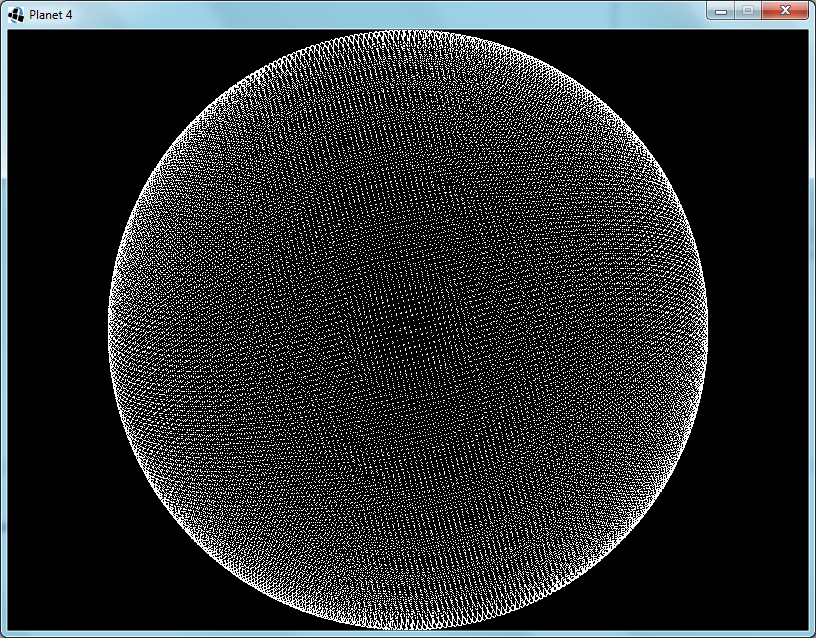
A decorative image of a map created using splat noise.

Introduction

To create earth-like planets, it is useful to start off with some continents.

When creating continents in simulation-oriented PCG, one customarily starts with a noise field and then apply simulated physical forces to make it more realistic.  In this article I will explain the workings and merits of a kind of noise function that I call "splat noise".

A Bit of History

A long, long time ago there were space games where planets were generated using a technique known as the fault-line technique.  Paul Bourke describes it here (scroll down to "Modelling fake planets"), but I will give a short summary in case that link goes dead some day.

The process is really simple: take a sphere, increase the altitude on a randomly chosen half and repeat as necessary.  The edges between the pairs of halves were referred to as fault-lines, hence the name of the technique.

Paul points out that this way always ends up with a perfectly anti-symmetric planet, and then he solves this by freeing the cutting plane from having to pass through the center of the sphere; each one now passes through a random point.  This unfortunately increases the number of iterations required to achieve the same level of detail.

He also demonstrates using it on a plane, and this is where I started when I invented splat noise.  My first problem with the planar fault-lines noise was that it did not wrap around at the edges.  Using a straight line that wraps around would be the obvious solution, but didn't work for various reasons that became apparent very quickly.  And the obvious solutions to these cause even further problems of similar difficulty.

The Invention of Splat Noise

So I decided to opt for a non-obvious solution instead.  I used circles instead of lines and it worked just as well.  Better even.  The fact that the effect of a circle is localized also opens up many new possibilities for further improvements.  One can vary the sizes of the circles, cluster them together, distribute them more evenly, optimize the processing, give the circles other profiles, use finite shapes other than circles...  The possibilities are endless and I often found the side-effects useful as well.

One of the things that I found surprising (at first) was that the horizontal profile of the splats affected the shapes visible vertically in the generated noise.  For instance, compare figures 1 and 2:

Figure 1: A map generated with cylindrical splats.  Note the rough edges.Figure 2: A map generated with steep truncated cone splats.  Note the slightly smoother features.
Fig 1: Simple CylindersFig 2: Steep Truncated Cones
These figures show that even a slight smoothing of the circle (or cylinder) gives a much smoother output.  I expect that convoluting the splat kernel is equivalent to convoluting the output.  Since the cylindrical kernel is mathematically simple, one can convolve it more precisely and much quicker than one can convolve the output noise.

A more surprising effect was that of varying the kernel size.  As seen in figure 3, below:

Figure 3: A map generated with randomly sized cylinders.  Despite the random arrangement of splats, this map now has both islands and continents.
Fig 3: Randomly Sized Cylinders
One would expect that the uniform randomness of the distribution would nullify the effect of randomly varying the kernel size.  However, I have found that it does increase the variety of the sizes of the features generated.  In figure 3 one can see that it now forms both continents and islands.
 
In regard to figure 4: I used axis-aligned squares as the kernel.  Despite the individual squares being small, they combine into long straight lines crisscrossing the output.  Also, none of the original squares are discernible.

Figure 4: A map generated with axially-aligned block splats.  It has strong horizontal and vertical stripes, yet each stripe has a smooth profile.
Fig 4: Axially-Aligned Blocks

Further Observations

Other useful techniques that I have discovered include:
  • Control the placement of continents by overlaying this noise over an existing map.
  • The "existing map" mentioned above could be as simple as just random squiggles with a brush.
  • Combine two splat noise outputs to create a distortion vector map to add detail to a smooth output field from some other algorithm without affecting the range of values.
  • To calculate a section of an infinite world using only a finite number of kernels, divide the world into a grid, each with its own seed and providing only nearby kernel positions.

Conclusion

The Planet 4 project will certainly be using a spherical variant of splat noise to create its initial conditions, taking this algorithm full circle; back to its roots, but improved by the journey.

Friday, November 29, 2013

Planet 4 - Part 01 - Making a Mesh

Introduction to this series is here.

Phase 1 is initiated.  I will adhere to a keep-it-simple approach during development.  So setting up the window went very quickly; no config files, no nothing.

The first step was to create the nodes in a spherical arrangement.  I divided the space into unit cubes and looped through them.  Where the innermost and outermost vertices of the cube was on opposite sides of the surface, I placed a node.

Each node represents a surface of about 128m×128m.  Since they're neither square nor uniform the area differs from node to node.  I experimented with different sized planets a bit and decided that radius 60 makes a medium-sized planet.  The circumference is about 48km, which is definitely much further than I have ever traveled in Minecraft.  What's the point of an infinite world, then?

Fig. 1: Radius 60 Sphere - Each node represents a 128m×128m area
Next I move the nodes so that they are no longer on the sphere, but rather arranged in a grid.  This will make noticing and understanding bugs much easier.
Fig. 2: Nodes are now aligned to a grid for debugging visualization
I reduce the size of the planet to radius 5, implement an algorithm for finding their nearest neighbours and link them up.  Ideally, I would have used Delaunay triangulation, but I decided to keep it simple instead; I have never done Delaunay triangulation before.  So I looped through the nodes and checked adjacent grid points for neighbours to link to.  The first time I only checked in the positive directions.  Figure 3 shows the inadequacy of this optimization:
Fig. 3: Added node-to-node links - My first bug is apparent
A simple fix is to just check the negative directions as well.  This does slow it down a bit though.  There is a faster way, but it is complicated, so I stuck to the simple way.
Fig. 4: Fixed the links bug
While my current algorithm does find every node that will contain a part of the sphere's surface, this causes some foreseeable problems, in that the double layer in some regions will stop the erosion algorithm from working correctly.  I take a cross section to see what it looks like (Fig.5) and see two possible solutions.  I could get rid of all diagonal links, or I could remove the extra layer before linking up the nodes.
Fig. 5: Cross section shows double layering
I decided to implement the node removal method, since this will simplify the eventual creation of the zones.  Each node that has three axis-aligned neighbours that are closer to the center is removed.  The cross section looks okay, so I switch back to the full sphere view:
Fig. 6: Removing the extra layer is not working as intended
That's no sphere!  I tried a few different techniques, with no positive results.  Eventually I realize the problem:  When I remove a node I change the circumstances of the surrounding nodes.  Near the axis-aligned planes that pass through the sphere's origin this causes that some nodes will no longer be removed.  The solution is to keep a set of nodes that need to be removed, and only remove them after all have been found.
Fig. 7: It works now
And finally I put the nodes back into their original spherical arrangement.
Fig. 8: Off the grid and back to a sphere

Sunday, April 28, 2013

I made a game!

For Ludum Dare #26, having the theme 'Minimalism', I made a game that I call 'And Then There Were None'.


It's a puzzle game where you have to make all the colored blocks disappear.

Blocks with the same symbol, but opposing colors (i.e. red vs. green or yellow vs. blue) cancel out when you push them against each other.

Blocks with different symbols have different effects when pushing against them.

Your cursor's color determines which color blocks you can move.  Beware, it usually sticks to the block that you are moving.  Moving your cursor over a dot will change its color.

Download it from my dropbox.

Wednesday, February 13, 2013

Space War: The New Frontier

Recently, I suddenly realized that creating a game similar to Spacewar, or rather Star Control, would be pretty simple in GameMaker Studio.

Unfortunately (wink), I discovered that it now has a built-in 2-D rigid-body physics engine.  Cue lots of experimentation:
 Fig 1: Plasma beam fired while spaceship is rotating.

Fig 2: Ship rotating because of recoil from firing mass driver.

 Fig 3: Experimenting with graphics effects.

Thursday, December 13, 2012

Nostalgia and Inspiration

I took a trip down memory lane this week; I played the original Sid Meier's Colonization and the original Stronghold.

Sid Meier's Colonization
Stronghold
I was probably about 15 years old the last time that I played these, and really quite bad at strategy games.  Now that I play them again, I can really start to appreciate them.  It was pure luck that I played these two at about the same time; I started thinking, and they blended in my mind: I could see the similarities and the differences and the good ideas and the bad ideas, and suddenly inspiration struck.

Nation Builder would no longer be just another Dwarf Fortress clone; it will be something new.  It will bear some similarity to Dwarf Fortress, Colonization and Stronghold, but it will be a game in its own right.

Friday, April 29, 2011

GameMaker, it makes games

I have really gotten into GameMaker and created a Tetris clone during the easter weekend.

I have also started work on a rogue-like game (i.e. a turn-based combat game with randomly generated levels and where you have to start over if you die. This makes it extra exciting.) It is called 'Quest for the Oathring', or QftOr for short.

Sunday, March 6, 2011

Look around in wonder


Got the mouse-look working, more-or-less. I can now fly around in Cyclopean.

I had to lock the mouse to the center of the window somehow. I could not find any advice on how to do this in Java, but fortunately it does have the functionality.

I used a MouseListener to catch the mouse movement events as usual, a ComponentListener to discover when the window was moved, and a Robot to move the mouse cursor to the center of the GLCanvas each time the mouse moved. The amount that the mouse moved is just the difference between its position and the center of the GLCanvas.

These mouse movements are accumulated over the gameplay/physics frame and the total used to rotate the player's viewpoint when the gameplay frame is processed. This is necessary since the gameplay and mouse are handled in separate threads. Each keyboard event also has its own thread and the graphics renderer as well. When I implement streamed loading of the world, this will also have its own thread.

I considered making this game multiplayer-capable, but real-time games aren't really suited to this; both latency and lag have always been significant in my experience.

Friday, February 4, 2011

Debuggy Spaceships


I have made much progress with Dreadnaught, my Star Control 2-inspired space adventure game.

The game now loads spaceship designs and images from files and can construct such spaceships in the combat space. The files are entirely human-readable, so people will be able to mod in their own spaceships.

If you zoom in on the picture above, you will notice that each spaceship has a blue triangle, and some red dots near the edges. These are debugging tools. The blue triangle shows where the computer thinks the spaceship is, and the red dots show the collision hull. This allows me to line them up properly. I made the spaceship entirely white for clarity; the actual game will have beautifully drawn pixel-art spaceships, asteroids, beams, particles and so forth.

The collision hull, mass, rotational inertia, center of mass and all other physical properties are calculated from the spaceship image to make sure that they match. This has the consequence that, if you make a spaceship with only one opaque pixel in its texture, that it will be very light and quick, but also very fragile and having very small energy reserves. There is also no hard limit on how big a ship may be; it just depends on what your computer can handle.

Friday, January 7, 2011

Fun System


During the Christmas season, I have finally gotten around to doing some top-down design for Galactic Throne. I have gotten a good overview of how to make the combat, science and espionage into fun activities, but I still need to do more work on exploration and economics.

I have started developing again, hoping to focus on getting moving fleets and working planets in, but that has to wait until those last two parts of the top-down design are done.

So, I am experimenting with the map generator a bit. I have managed to make it arrange the stars such that the names no longer overlap the other stars or their names. In the process of testing it, I discovered the Fun system (pictured.) Clearly the name was generated by the random generator.

Hopefully with some more design I can make the game as fun as that solar system. :^)

Saturday, November 6, 2010

Got my texture on


Seems the texture wasn't working because the video memory was full. Rebooting cleared it right up. I added a placeholder for the lighting.

Clearly, I need to work on the memory cleanup next.

Friday, November 5, 2010

Many many cubes


Finally got the Cyclopean Engine's renderer fast enough for usage. Now I need to get the texture working.

When I was playing Minecraft the other day, I realized the potential for this kind of engine. It would be a bit stupid if Minecraft and Infiniminer were the only games to ever use it, or if everyone had to write their own. (It is trickier than one would think.) So, I decided to make my own engine, which will be free to use and probably open source (eventually), and my own game with that engine.

The name Cyclopean Engine refers to cyclopean architecture, which is when a building is constructed from huge stone blocks, usually made to fit neatly together. The game will probably be called Cyclopean Adventures, and will have some Lovecraft-style horror in it if I can manage that.

While most of the game world will be strictly Cartesian and/or Euclidean, I programmed it with see-through portals in mind, so it will be possible to have areas linked in impossible ways by invisible portals you might not notice, deviating from Cartesian and Euclidean concepts of space. For instance, a mysterious house might be larger on the inside than the outside, and breaking though a certain wall could lead you to a different universe.

I could even make one side of the portal larger than the other, so that objects can change size when passing through, although building stuff will make even less sense then.

By the way, the zone which is rendered consists of 262144 cubes, but it only renders the possibly-visible surfaces, which is why it is fast. If one were to fill the zone with a checkerboard pattern of translucent cubes, it could become very slow indeed.

Thursday, September 30, 2010

Staring at the sun


The new faster renderer is working now. I have also created new textures that use pre-multiplied alpha. Behold the beauty of the sun!

Thursday, September 16, 2010

Nation Builder - Now with ramps!


I have made extensive modifications to the texture generator. It can now create images for ramps and also contains multiple procedural shape generators.

Unfortunately, the ramps still look a bit cliff-like. A have some ideas that I can still try out, though.

The generator used to create the 'rock' texture that I use in the image above is based on a variant of the fault-lines method, but adapted to be tiling and three-dimensional.

I also have a 'sand' texture, using the same algorithm, and 'glass' and 'crystaline' textures generated with an algorithm based on Voronoi methods.

The next task is to create a mouse cursor and to allow the user to interact with the terrain. This will allow me to enable the user to designate digging areas and similar orders.

Friday, June 11, 2010

Dancing Triangles


A screenshot from Dreadnaught (codename). The triangles now respond to the keyboard and half of the physics is in. The triangles fly around nicely, but they cannot collide yet.

Of course, eventually they won't be triangles, but rather textured quads with lighting. And there will be particles and special effects. And a story. And moddability! Stuff will explode!!!

Monday, March 1, 2010

Galactic Throne

Last year some time I started work on a turn-based space strategy game with tactical battles, a là Master of Orion. There are several reasons why I should work on Galactic Throne, rather than on Nation Builder (working title):
  • Less graphics programming means more game programming.
  • It can already scroll, zoom and detect what I click on.
  • It is much less ambitious.
  • I am more certain on what I want to achieve with it.
Talking about what I am trying to achieve, here are my goals so far:
  • It should feel real. The planets and the galaxy should feel alive. I believe that this can be achieved by giving the people in the game a will of their own, and giving them a world to interact with.
  • It should feel big. In a real galaxy there are billions of stars with billions of planets and it is billions of years old. While my game will not be that big, it should feel like it. To achieve this, I will either make the map really big, or create events and/or game play that relate the map to the rest of the galaxy. To make it feel ancient, there will be remains of ancient (but not necessarily dead) civilizations and the after-effects of long gone cataclysms.
  • It should add a bit to standard 4X game play, maybe even add another X. Usually in this type of game you are either a powerful all-conquering emperor, or a member of an alliance fighting against such empires. However you unite the galaxy, you win. I will add a third way to play; spies everywhere manipulating politics and economies, even the planets that you rule will not know that you do. An important upgrade to the game play, which will make this possible, is the separation of government and people. This also ties in with giving people a mind of their own.

Friday, February 26, 2010

Walls and floors

I was thinking of a way to do ramps and stairways. After a lot of thought I found a way, and, in the process of adding it, I also made it separate the walls and floors properly, and the walls are now more upright.

My next task will be speeding up the renderer. It is going at about 5-7 FPS at 800x600 at the moment, but I think it can go much faster.

I might also experiment with adding ramps.

Monday, February 22, 2010

Texture alignment


Though you might not see much difference, the changes that I made are important during gameplay. All the stone type boundaries were off by a half cube along all three axes.

I had to modify the terrain shader program extensively, and unfortunately doubled the amount of texture memory required. This means that, to run on computers with 64MB texture memory, the application would need to use lower resolution textures. This is not a problem though, since I believe such graphics cards would not support my shader program anyway.

Friday, February 19, 2010

Again with the rocks

I made the texturing work properly. Just look at this beautiful red sandstone.

Afterward, I added the support for multiple rock types. It is not working nearly as well as this screenshot might lead you to believe. I think I should have stuck with red sandstone, rather than this yellow type. Also, the limestone is looking very blue due to the depth cue. I should fix that.

I am still deciding between using natural stone colors, classifying stone colors, or abstract stone colors.

Thursday, February 18, 2010

Stealth ninja stone

I implemented terrain material texturing today, and created some bright orange stone with which to test it.

Rocks that rock

I made the rock more rock-like and irregular, increased the texture detail and experimented with adding color to the rock.

I also experimented with making the rocks less round, but did not meet with success. I will leave this for much later; there are more important things to focus on.

I will either add soil and sand next, or modify it to allow different kinds of rock with different colors and patterns.